
Bill of Lading (BOL) in Freight Shipping
The BOL document explained: what it is, how it’s used, and how to fill it in correctly
A Bill of Lading (BOL) is the primary document used in ground freight shipping. It acts as a contract of carriage and a receipt for the freight, and it gives the carrier the exact shipment details they need to move and rate the load correctly.
If the information on the BOL does not match what actually ships, carriers can rebill the shipment. Clean, accurate BOLs reduce delays and prevent extra charges.
You need a BOL for every LTL or FTL ground shipment. Carriers generally require it at pickup, and it becomes the reference document for the shipment in transit.
If you book through Freightera, your BOL is automatically created when you book, and all your shipping documents and tracking information are in one place.
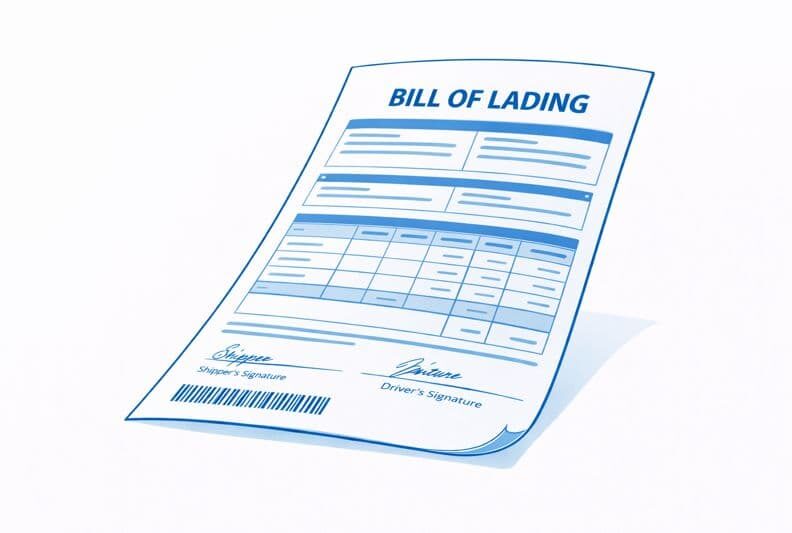
How to fill in a Bill of Lading
A BOL typically includes information about the shipper/consignee, origin/destination, package count, description, and the weight/measurements of the shipment. A BOL template can look slightly different by freight provider, but the required fields are usually as follows:
Parties and locations
These fields identify who is shipping the freight, who is receiving it, and where the carrier is picking up and delivering.
The fields usually look like this:
- Shipper (pickup) name and address (including the company name)
- Consignee (delivery) name and address (and the company name, if shipping to a business)
- Location types when relevant (for accurate billing and accessorials)
- Billing party (who pays the freight charges)
Contacts and site details
These details help the driver complete the pickup/delivery without missed attempts, delays, or guesswork on site.
You’ll typically see fields like these:
- Pickup contact name and phone number
- Delivery contact name and phone number
- Hours of operation
- Any site notes for the driver (e.g. gate access, how to find the entrance, where to check in)
Freight details
This is the core shipment data carriers use to plan space, handle the freight, and confirm the rate.
On most BOLs, these fields look like:
- Piece count by handling unit (pallets, crates, boxes)
- Itemized description (clear, specific commodity descriptions)
- Dimensions per handling unit (including the pallet or crate, usually in inches)
- Weight per handling unit (including packaging, usually in lbs)
Rating and service indicators (as applicable)
These fields affect pricing, dispatching, and whether the carrier brings the right equipment and plans for special handling.
You’ll usually see these fields shown as:
- NMFC item and freight class (commonly needed for LTL in the USA)
- Declared value or special handling notes (only when required)
- Special handling flags (such as ”fragile”, ”non-stackable”, ”hazmat”)
- Accessorials and special services (liftgate, appointment, inside delivery, etc.)
- Requested pickup and delivery dates (as estimates, when provided)
- Reference numbers (PO number, order number, shipment reference)
Signatures
This is the proof-of-tender portion of the document, and it matters for disputes and claims.
The signature lines typically include the shipper’s and the driver’s signature at pickup.
Special case: hazmat details on a BOL
This explains when hazmat info may be carried on the BOL, and what “required hazmat basics” usually means.
For ground hazmat, the BOL is often used as the shipping paper if it contains the required hazardous materials “basic description.” The basic description includes the identification number (UN/NA), proper shipping name, hazard class, and packing group (when required).
Note that your hazmat paperwork still has to match the markings and labels on the freight, and you must declare hazmat correctly during quoting and booking.
Common mistakes that cause delays or invoice changes
These are the most common BOL-related issues that lead to shipment delays, billing adjustments, and unexpected charges:
- If shipping with Freightera: using the wrong BOL template instead of the Freightera BOL;
- Incomplete contacts or unreachable phone numbers at pickup or delivery;
- Vague commodity descriptions (too generic to rate or handle properly);
- Dimensions and weight that don’t reflect the dimensions and weight of the packaged freight;
- Checking fragile/non-stackable/hazmat boxes by default when they don’t apply can add charges;
- Adding services in “special instructions” instead of selecting them during quoting and booking (a handwritten note on the BOL does not guarantee the carrier will dispatch a truck with the right equipment. Make sure to quote for all the required services well ahead of time).
Bill of Lading in freight shipping FAQ
What happens if my BOL doesn’t match the freight?
Carriers may rebill (reweigh, remeasure, reclass) or add charges tied to the actual shipment details.
Do I need multiple copies of the BOL?
It’s smart to have at least one additional signed copy retained by the shipper, plus a digital copy saved by the booking party. The main copy of the BOL stays with the driver.
Can I use a generic blank BOL?
This is not recommended. A blank BOL is likely to miss the billing party info, as well as relevant shipment information. If you booked through Freightera, use the Freightera-generated BOL at pickup.
Can I request liftgate/tailgate by writing a note in the “special instructions” box on the BOL?
No. You need to select accessorials during quoting and booking so that the carrier can dispatch a truck with the right equipment. A note on the BOL does not guarantee the service will be provided, and it can even result in higher charges.
Who is responsible for the accuracy of the BOL: the shipper, the carrier, or the freight provider?
The person booking the shipment is responsible for ensuring the information on the BOL matches the actual freight that’s being shipped. Carriers rely on the BOL to rate and handle the shipment, and discrepancies can lead to rebills and additional charges.
Freightera simplifies this step for you by generating a BOL based on the information you entered during booking.
Can I change the BOL after the shipment has been picked up?
Changes after pickup are possible, but they often trigger BOL change (rebill) fees, delays, or rate adjustments. Any corrections usually require carrier approval and may result in additional charges.
What happens if the driver doesn’t sign the BOL at pickup?
A missing driver signature can complicate disputes, claims, or proof of pickup. Always make sure the driver signs and dates the BOL and that the shipper keeps a copy.
Do I need a BOL for local or short-distance freight shipments?
Yes. Distance doesn’t matter – if you’re shipping freight via an LTL or FTL carrier, a BOL is still required as the contract and receipt for the shipment.
Can I email the BOL to the driver instead of printing it?
Most carriers still expect a printed BOL at pickup. If the shipping location is unable to provide a physical copy of the BOL, you can request that the driver brings one with them. You need to request this service at least 24 hours in advance. It’s safest to have a printed, signed copy ready.
What if the pickup location isn’t the same as the billing party?
That’s normal. The BOL clearly separates the shipper (pickup location), consignee (delivery location), and the billing party. Ensure that each role is filled out accurately so that billing is applied correctly.
Do I need to list every item on the BOL if everything is on one pallet?
You don’t need to list every item, but the commodity description must still be specific enough for rating and handling. Vague descriptions like “parts” or “products” can lead to reclassification (in the USA).
Is the BOL the same thing as a freight invoice?
No. The BOL documents the shipment and terms of carriage. The freight invoice is issued after delivery and reflects the final charges based on how the shipment actually moved.
How long should I keep copies of my BOLs?
It’s best practice to keep BOLs (physical or digital) for at least several months, especially if you ship regularly. They’re often needed for audits, billing disputes, or claims. On Freightera, all your Bills of Lading are saved on your account, along with your shipment history, all in one place.
Ready to ship?
When you quote and book on Freightera, the correct Bill of Lading is automatically generated for your shipment. You’ll have the BOL saved in your account, along with your shipment history, all in one place.